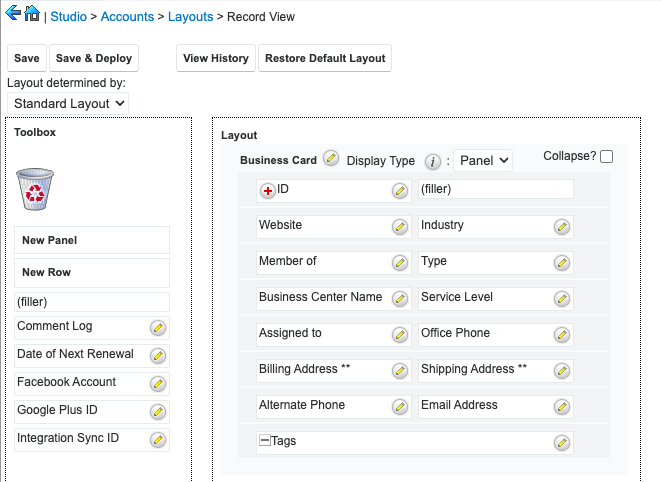
The following snippet will outline how to add an ID field to a module in Studio in SugarCRM.
The basics
To enable the ID field, we need to create a vardef extension updating the fields studio property to true.
//enable the id field in studio
$dictionary['{module}']['fields']['id']['studio'] = true;
As we also want to prevent users from editing the id field, let's make the field read-only and hide it on the create views:
//default the fields view properties
$dictionary['{module}']['fields']['id']['displayParams'] = [
    //make sure this field is readonly
    'readonly' => true,
    //hide the id on create views
    'dependency' => 'greaterThan(strlen($id),0)'
];
Example
If you are working on a local instance, you can implement this customization for Accounts as follows:
./custom/Extension/modules/Accounts/Ext/Vardefs/AddIdToStudio.php
<?php

//enable the id field in studio
$dictionary['Account']['fields']['id']['studio'] = true;

//default the fields view properties
$dictionary['Account']['fields']['id']['displayParams'] = [
    //make sure this field is readonly
    'readonly' => true,
    //hide the id on create views
    'dependency' => 'greaterThan(strlen($id),0)'
];
Next, navigate to Admin > Repairs > Quick Repair and Rebuild. The ID field will now be available on the Accounts record view.